Attributes tab

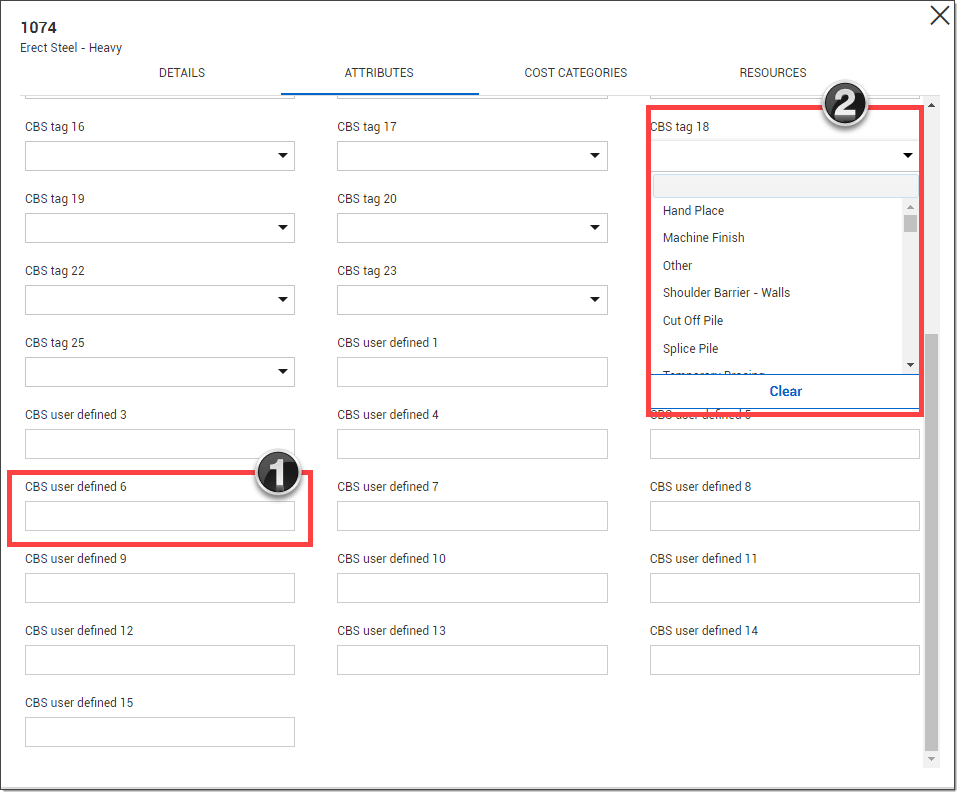
The Attributes tab allows you to tag the new cost item with user-defined entries.

  1. User-Defined Fields –free text fields that you can type values into manually

  2. Tags – Many of these fields are validated fields (known as tags), meaning you can choose from options in a drop-down list

Some of these tags and their drop-down values are defined at the organizational level and others are customizable via the Project Settings under the Configure tag list value.